
Dremel Scroll Saw Blade Holder: Clean Curve Guide
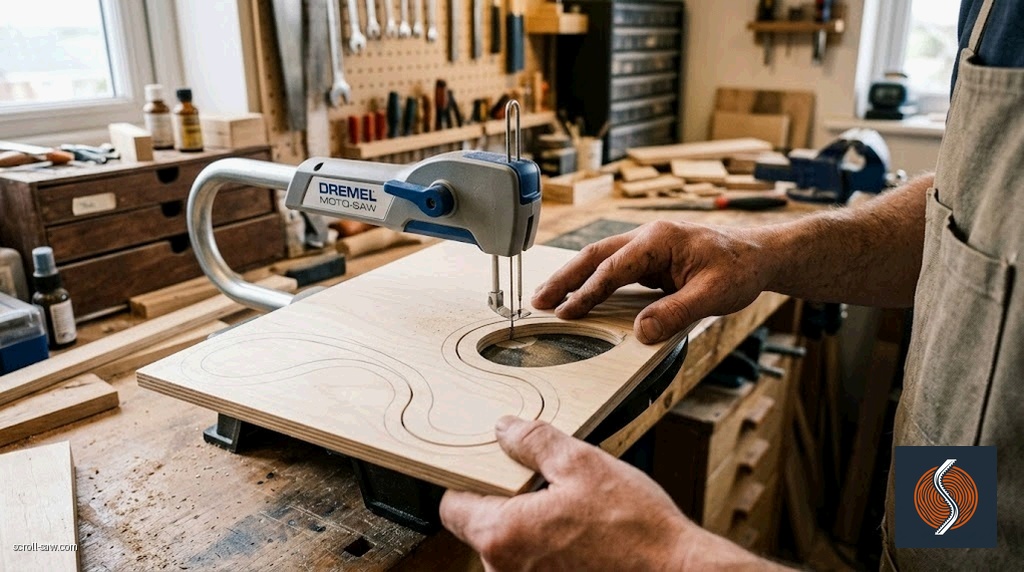
Choosing Dremel Scroll Saw Blade Holder for Clean Curves and Controlled Feed
You thread a blade through a pilot hole, clamp it in the upper and lower holders, tension it, and start a curve. Three inches in, the cut drifts to the left. You correct, it drifts right. You finish the piece, and the curve looks like it was drawn by someone with a shaky hand. The blade is new, the speed is right, and the material is the same pine you always cut. What changed?
The answer is probably the blade holder. The Dremel scroll saw blade holder is the component that clamps the blade at both ends and keeps it aligned vertically. When the holder is worn, misaligned, or the wrong type for the blade you are using, the blade flexes laterally during the cut. That lateral flex is what produces wandering curves and inconsistent feed.
The blade holder is not a glamorous part. Nobody talks about it at the woodworking club. But if your curves are not clean and your feed rate feels inconsistent, the holder is where the problem lives. Here is how to choose the right one, inspect it, and keep it working.
What the Blade Holder Does
On a scroll saw, the blade holder (also called the blade clamp) grips the blade at the upper arm and at the lower arm. The holder must do three things simultaneously: hold the blade firmly enough that it does not slip during the cut, align the blade vertically so the stroke is straight, and release the blade quickly for blade changes.
On the Dremel Moto-Saw (MS20-01), the blade holder is integrated with the Quick Change lever and auto-tensioning mechanism. You flip the lever, the holder opens, you swap the blade, you flip the lever back, and the holder clamps the blade with a preset tension. There is no manual adjustment. This is convenient, but it means the holder either works correctly or it does not. There is no middle ground.
On older Dremel scroll saws like the 1695, 1671, and 1830, the blade holder is a more traditional clamp that uses thumb screws or small wrenches to tighten. These holders can be adjusted, which gives you more control but also introduces more ways to get it wrong.
Signs the Blade Holder Is the Problem
How do you know the holder is causing your cut quality issues, as opposed to the blade, the speed, or the material? Here are the signs:
Wandering cuts with a new blade: If you just installed a fresh blade and the cuts still wander, the holder may not be clamping the blade straight. A blade that is clamped at even a 2-degree angle will cut a curve that drifts in that direction.
Blade slipping: If the blade pulls out of the holder during a cut, the clamp is not gripping firmly enough. This is dangerous and will ruin the workpiece. On the Moto-Saw, this means the Quick Change mechanism is worn. On older models, it means the thumb screws need tightening or the clamp pads are worn.
Inconsistent tension: If the blade tension changes during a cut (the blade feels tight at the start and loose after a few minutes), the holder is allowing the blade to slip incrementally. On the Moto-Saw, the auto-tensioning mechanism should prevent this. If it happens, the mechanism needs service.
Blade breakage at the clamp point: If blades consistently snap right where they enter the holder, the clamp is putting stress on the blade. This can happen if the holder is misaligned, if the clamp pads are worn unevenly, or if the blade is being pinched at an angle.
Inspecting the Blade Holder
Remove the blade and look at the holder with good light. On older Dremel models, check the clamp pads (the surfaces that contact the blade). If they are grooved, worn, or have visible burrs, they will not hold the blade flat. Grooved pads let the blade rock slightly during the stroke, which produces wandering cuts.
On the Moto-Saw, inspect the Quick Change clamp surfaces. They should be clean and flat. If you see sawdust or pitch buildup in the clamp, clean it with a small brush and a bit of solvent. A dirty clamp does not grip the blade evenly, which produces the same wandering as a worn clamp.
Check the alignment of the upper and lower holders. They should be in the same vertical plane. If the upper holder is shifted left or right relative to the lower holder, the blade will be installed at an angle and every cut will drift. You can check this by installing a blade and sighting it from the front. The blade should run straight up and down, not angled.
Choosing a Replacement Blade Holder
For older Dremel scroll saws (1695, 1671, 1571, 1830), replacement blade holders are available from Dremel and from third-party suppliers. When choosing a replacement, three things must match:
Mount type: The holder must fit your specific Dremel model. The 1695 holder is different from the 1671 holder. Check the parts diagram in your saw’s manual or on the Dremel website to confirm the part number.
Blade compatibility: The holder must accept the blade type you use. Some holders accept both pin-end and plain-end blades. Others accept only one type. If you use plain-end blades for fine work, make sure the holder can clamp them securely.
Clamp mechanism: Thumb screw clamps are adjustable and give you control over grip pressure. Lever-action clamps are faster but less adjustable. For most hobby work, thumb screw clamps are the better choice because you can fine-tune the grip for different blade sizes.
For the Moto-Saw, the blade holder is not a separately replaceable part. The Quick Change mechanism and auto-tensioning system are integrated into the saw body. If the holder fails, the saw needs service from Dremel or an authorized repair center.
Maintaining the Blade Holder for Clean Curves
Clean cuts come from a blade that is held straight and tight. Here is how to keep the holder doing its job:
Clean the clamp surfaces regularly. Sawdust and pitch buildup on the clamp pads is the most common cause of holder problems. Wipe the pads with a clean cloth after every blade change. If pitch has accumulated, use a solvent to remove it.
Check alignment after every blade change. On older models, the thumb screws can loosen over time and shift the holder position. After installing a blade, sight it from the front to make sure it runs straight.
Replace worn clamp pads. On older Dremel models with replaceable pads, swap them when you see grooves or wear. Worn pads are cheap to replace and will immediately improve cut quality.
Do not overtighten. On thumb screw holders, tighten firmly but do not crank down with pliers. Overtightening deforms the clamp and can crack the blade at the clamp point.
The Verdict
Your Dremel scroll saw blade holder is the component that connects the saw to the blade. If it is worn, dirty, or misaligned, no blade or speed setting will compensate. Clean curves and controlled feed come from a holder that grips the blade straight and holds it tight through every stroke.
If your curves are wandering and you have already ruled out blade tension, speed, and feed rate, inspect the holder. Clean it, check the alignment, and replace worn pads. If you are using the Moto-Saw and the Quick Change mechanism is not holding the blade firmly, contact Dremel for service. The auto-tensioning system is not user-serviceable.
A good blade holder is invisible when it works. You do not think about it. But when it fails, every cut tells you about it. Keep it clean, keep it aligned, and your curves will stay where you put them.
Frequently Asked Questions
What does a scroll saw blade holder do? The blade holder clamps the blade at the upper and lower arms of the scroll saw, holding it vertically aligned and under tension during the cut. It must grip firmly, align the blade straight, and release quickly for blade changes.
Can I replace the blade holder on a Dremel Moto-Saw? No. The Moto-Saw’s blade holder is integrated with the Quick Change lever and auto-tensioning mechanism. If the holder fails, the saw needs service from Dremel or an authorized repair center.
How do I know if my blade holder is worn out? Signs include wandering cuts with a new blade, blades slipping during cuts, inconsistent tension, and blades breaking at the clamp point. Inspect the clamp surfaces for grooves, wear, or pitch buildup.
Are Dremel scroll saw blade holders interchangeable between models? No. Each Dremel scroll saw model (1695, 1671, 1830, and others) uses a specific blade holder design. Check the parts diagram for your model to find the correct replacement part number.
How do I keep my blade holder working well? Clean the clamp surfaces after every blade change, check blade alignment after installing a new blade, replace worn clamp pads, and avoid overtightening thumb screws. Regular cleaning is the single most effective maintenance step.
What causes blades to break at the holder? Blades break at the holder when the clamp is misaligned, the clamp pads are worn unevenly, or the holder is pinching the blade at an angle. Overtightening thumb screws can also deform the clamp and stress the blade.
Should I choose a thumb screw or lever-action blade holder? Thumb screw holders give you adjustable grip pressure, which is useful for different blade sizes. Lever-action holders are faster but less adjustable. For hobby work with varied blade sizes, thumb screw holders are the better choice.
References
- Dremel Moto-Saw (MS20-01) Product Documentation, Dremel Official Website
- Dremel Scroll Saw Parts and Service, Dremel Customer Support
- Scroll Saw Setup and Maintenance, Fine Woodworking
- Occupational Safety and Health Administration, Hand and Power Tool Safety (29 CFR 1910.242)


