
Dremel Scroll Saw Blade Change: Size and Tooth Guide
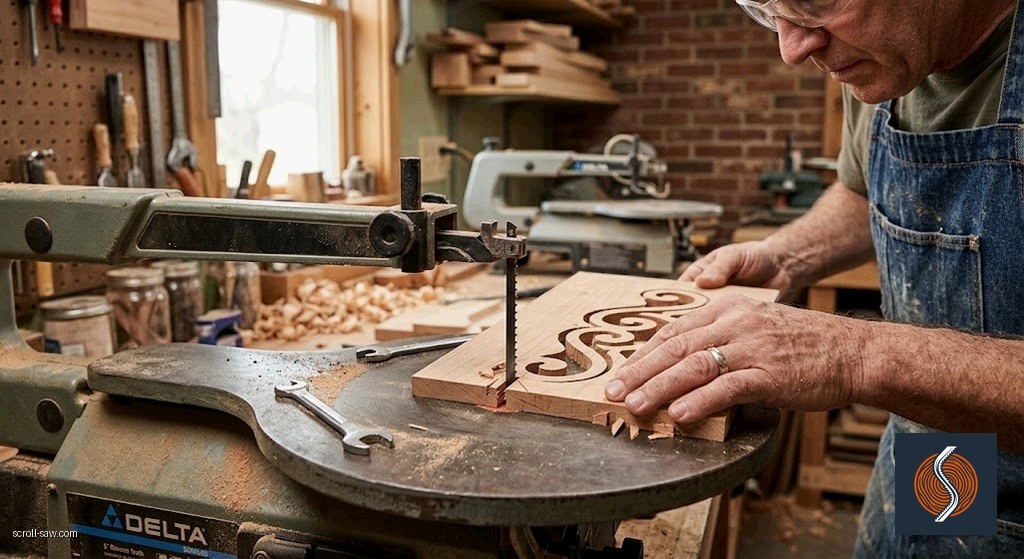
Dremel Scroll Saw Blade Change: Size, Tooth Geometry, and Material Guide
You finish a cut, flip the Quick Change lever, and the old blade drops out. You grab a new blade from the pack, slide it in, flip the lever back, and you are cutting again in under 15 seconds. The Dremel scroll saw blade change is the easiest part of using the tool. The hard part is knowing which blade to put in.
Whether you are running a Dremel Moto-Saw (MS20-01) or an older Dremel scroll saw like the 1671, 1680, or 1830, the blade you choose matters more than the saw itself. The wrong blade will produce rough cuts, burning, and broken blades no matter how carefully you set the speed and feed rate. The right blade will make the saw feel like a different tool.
A scroll saw blade change is the moment where you match the tool to the job. The blade size, tooth geometry, and material composition each affect how the saw cuts through wood, plastic, and laminate. Here is how to think through each one so you change to the right blade, not just a new one.
How the Dremel Blade Change Works
On the Dremel Moto-Saw, the blade change process uses the Quick Change lever. Flip the lever up, and the blade clamps release. Pull the old blade out, insert the new one, and flip the lever down. The auto-tensioning mechanism applies correct tension automatically. No tools, no adjustment, no guesswork.
On older Dremel scroll saws like the 1671 and 1680, the process is different. These models use a more traditional blade clamp that may require a small wrench or a thumb screw to loosen and tighten. The blade must be threaded through the table slot for inside cuts, then clamped at both the upper and lower holders. Tension is set manually with a knob or lever.
The difference matters because it affects how often you change blades. On the Moto-Saw, the Quick Change lever makes blade swaps so fast that there is no reason to push a wrong blade through a job. On older models, the slower change process tempts you to keep using a blade that is past its best or wrong for the material. Resist that temptation. A two-minute blade change is better than a ruined workpiece.
Blade Size: What the Numbers Mean
Scroll saw blades are sized by a number system that runs from 8/0 (the finest) up through 12 (the coarsest). The most common sizes for hobby and craft work fall between 2/0 and 7.
For the Dremel Moto-Saw, the blade sizes are specific to the MS-series: MS51, MS52, and MS53. These are not standard scroll saw blade sizes. They are proprietary blades designed for the Moto-Saw’s auto-tensioning mechanism and Quick Change clamp. You cannot use a standard #5 plain-end blade in the Moto-Saw.
For older Dremel scroll saws that accept standard blades, the size choice follows the general scroll saw rule: smaller numbers (2/0, 0, 1) for thin material and tight curves, larger numbers (5, 7) for thick material and straight cuts.
The size you choose affects two things: the minimum radius you can cut and the speed at which the blade removes material. A #2/0 blade can turn a tight radius that a #7 blade cannot, but the #7 blade cuts through 2-inch stock in a fraction of the time.
If you are changing a blade because the cut quality dropped, ask whether the blade size matches the material thickness. A blade that is too large for thin stock will tear the wood. A blade that is too small for thick stock will pack with sawdust and burn.
Tooth Geometry: Regular, Skip, and Reverse
Tooth geometry is the shape of the teeth on the blade, and it affects cut quality as much as blade size.
Regular tooth blades have teeth that are all the same size and spacing. They produce the smoothest cut surface but cut slowly. They are best for thin material where surface finish matters more than speed.
Skip tooth blades have a gap between each tooth. The gap gives sawdust a place to exit the kerf, which keeps the blade cooler and reduces burning in thick material. The cut surface is slightly rougher than with a regular tooth blade, but the blade lasts longer and cuts faster in thick stock.
Reverse tooth blades have teeth that point up for the bottom portion of the blade and down for the top. This design pulls sawdust out of the cut on the upstroke, which reduces splintering on the bottom face of the workpiece. Reverse tooth blades are the choice when you need a clean surface on both sides of the cut.
The Dremel MS51 uses a regular tooth pattern, the MS52 uses a skip tooth pattern, and the MS53 uses a fine regular tooth pattern. None of the MS-series blades are reverse tooth, which means the bottom face of your cut will always show some splintering. If that matters for your project, sand the bottom edge or apply a sacrificial backing board.
Blade Material: Carbon Steel vs. Bi-Metal
Most scroll saw blades, including the Dremel MS-series, are carbon steel. Carbon steel blades are inexpensive, hold a decent edge, and are the standard choice for wood cutting. They dull faster than bi-metal blades but are cheap enough to replace frequently.
Bi-metal blades have a high-speed steel cutting edge welded to a flexible carbon steel back. They last longer and resist breaking better than carbon steel blades. They are worth the extra cost if you are cutting hard materials or doing production work where blade changes eat into your time.
For the Dremel Moto-Saw, the MS-series blades are carbon steel. They are designed for light to medium use in wood, plastic, and laminate. If you are doing heavy production work, the Moto-Saw is not the right tool regardless of blade material.
For older Dremel scroll saws that accept standard blades, you can choose between carbon steel and bi-metal blades. Carbon steel is fine for most hobby work. Bi-metal is worth it if you cut a lot of hardwood or if you are tired of blades snapping after a few hours.
Matching Blade to Material: A Practical Guide
For wood cutting, the blade choice depends on thickness and hardness. Thin softwood (under 1/2 inch) pairs with the MS53 or a #2/0 regular tooth blade. Thick softwood (1 to 2 inches) pairs with the MS52 or a #5 skip tooth blade. Hardwood of any thickness wants a skip tooth blade to prevent burning.
For plastic cutting, use a fine tooth blade at slow speed. The MS51 or MS53 works for thin plastic. The key is speed: plastics melt at high blade speeds, so run the saw at its lowest setting and feed slowly. A melted cut cannot be sanded smooth.
For laminate cutting, use the MS52 or a medium skip tooth blade. Laminate is abrasive and will dull a blade quickly, so expect to change blades more often. The skip tooth pattern clears the abrasive dust that laminate produces, which keeps the cut cooler and extends blade life.
When to Change the Blade
Change the blade when the cut surface is rougher than it used to be with the same blade and material. Change it when the saw burns wood at a speed and feed rate that used to work. Change it when the blade has visible damage like missing teeth or bent sections. Change it when you are switching to a different material or thickness. And change it when the blade has been in the saw for more than 4 hours of cutting time.
A fresh blade is the cheapest improvement you can make to your cut quality. If you are on the fence about whether to change the blade, change it. The cost of a blade is less than the cost of a ruined workpiece.
The Verdict
The Dremel scroll saw blade change process is simple, but the blade choice is not. The MS51 is your general wood blade, the MS52 is your thick and hard material blade, and the MS53 is your fine detail blade. For older Dremel scroll saws, match the blade size to the material thickness and choose skip tooth for anything that burns.
The blade you put in determines what the saw can do. A blade change takes 15 seconds on the Moto-Saw and a couple of minutes on older models. There is no good reason to run the wrong blade. Change it, match it to the job, and your cuts will improve immediately.
Frequently Asked Questions
How do I change the blade on a Dremel Moto-Saw? Flip the Quick Change lever up to release the blade clamps, pull out the old blade, insert the new MS-series blade, and flip the lever down. The auto-tensioning mechanism sets the tension automatically. No tools are needed.
What blades does the Dremel 1671 scroll saw use? The Dremel 1671 uses standard pin-end or plain-end scroll saw blades, not the proprietary MS-series blades used by the Moto-Saw. Check your model’s manual for the specific blade type and size range it accepts.
What size blade should I use for thin wood on a Dremel scroll saw? For thin wood under 1/2 inch, use a fine tooth blade. On the Moto-Saw, that is the MS53. On standard scroll saws, a #2/0 or #1 regular tooth blade gives the cleanest cut in thin stock.
How often should I change my Dremel scroll saw blade? Change the blade when the cut quality drops, when the blade starts burning wood at speeds that used to work, or when you switch materials. In general, a carbon steel blade used for 3 to 4 hours of cutting is due for replacement.
Can I use standard scroll saw blades in the Dremel Moto-Saw? No. The Moto-Saw uses proprietary MS51, MS52, and MS53 blades designed for its Quick Change clamp and auto-tensioning mechanism. Standard scroll saw blades will not fit.
What tooth geometry is best for preventing burn marks? Skip tooth blades prevent burning better than regular tooth blades because the gap between teeth lets sawdust exit the kerf, reducing friction. If you are burning wood with a regular tooth blade, switch to a skip tooth of the same size.
What is the difference between the Dremel MS51 and MS52 blades? The MS51 is a regular tooth blade for general wood cutting in thin to medium stock. The MS52 is a skip tooth blade for thicker and harder materials. The MS52 clears sawdust faster and runs cooler but leaves a slightly rougher cut surface.
References
- Dremel Moto-Saw (MS20-01) User Manual and Blade Guide, Dremel Official Website
- Scroll Saw Blade Selection, Fine Woodworking
- Carbon Steel vs. Bi-Metal Saw Blade Performance, Journal of Manufacturing Science and Engineering
- Consumer Product Safety Commission, Power Tool Safety Recommendations


