
DeWalt Scroll Saw Blade Clamp: Better Cuts
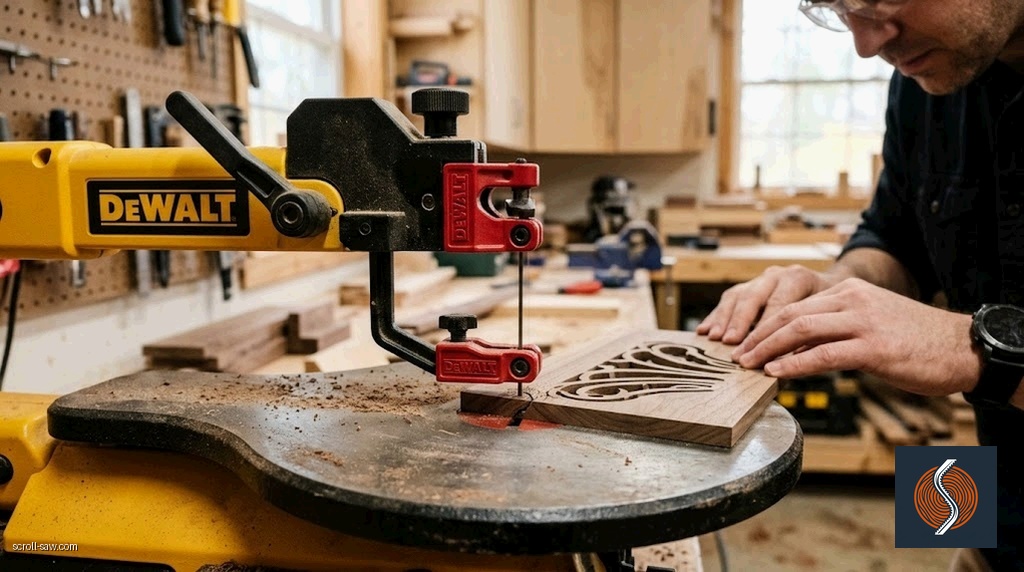
Getting Better Cuts With DeWalt Scroll Saw Blade Clamp
You install a new blade on your DeWalt DW788, tension it, and start cutting. Within the first minute, the blade slips in the upper clamp and drops down into the table. You re-seat it, tighten the clamp, and try again. This time the blade holds, but the cut wanders to the left because the clamp is not holding the blade square to the table. The blade clamp is the single point of contact between the saw and the blade, and if it is not holding the blade correctly, nothing else matters. Getting better cuts from a DeWalt scroll saw starts with the blade clamp.
The DeWalt scroll saw blade clamp is the mechanism on the DeWalt DW788 (and the identical DW7880 and DW7881) that holds the blade in the upper and lower arms. The DW788 uses a tool-free, quarter-turn clamp system that accepts both pin-end and plain-end blades. The clamps must hold the blade securely, square to the table, and centered in the table slot for the blade to cut straight and clean.
The short answer: inspect and clean the blade clamps regularly, seat the blade fully before closing the clamp, verify the blade is square to the table after each change, and replace worn clamp pads. Most cut quality problems on the DW788 trace back to the blade clamp, not the blade or the material.
How the DW788 Blade Clamp Works
The DW788 blade clamp system consists of two clamps: one on the upper arm and one on the lower arm. Each clamp has a stationary jaw and a movable jaw. The movable jaw is controlled by a quarter-turn lever. When the lever is turned 90 degrees, the jaw opens and the blade can be inserted or removed. When the lever is turned back, the jaw closes and grips the blade.
For pin-end blades, the blade pins seat into notches in the clamp jaws. The pins are held by the notch geometry, not by clamping pressure. This means pin-end blades are less sensitive to clamp pressure and are easier to seat correctly.
For plain-end blades, the clamp jaws grip the flat end of the blade directly. The clamping pressure comes from a spring inside the clamp mechanism. If the spring is weak or the jaw surfaces are worn, the plain-end blade can slip under tension.
Common Blade Clamp Problems
Problem: The blade slips in the clamp during cutting. This is the most common clamp issue on the DW788, and it almost always happens with plain-end blades. The cause is usually one of three things: the blade is not seated fully in the clamp, the clamp jaw surfaces are worn smooth, or the clamp spring is weak.
To fix: first, verify the blade is fully inserted. The blade end should bottom out in the clamp jaw before you close the lever. If the blade is seated and still slips, inspect the clamp jaw surfaces. They should have a textured or knurled finish that grips the blade. If they are smooth and shiny, they need to be replaced or roughened with a file. If the jaws look fine, the clamp spring may be weak and need replacement.
Problem: The blade is not square to the table. If the blade leans to one side, the cut will wander in that direction. Check the square by placing a small square against the blade and the table. The blade should be 90 degrees to the table in both directions (left-right and front-back).
If the blade is not square, the clamp may be misaligned. On the DW788, the upper clamp can shift slightly if the clamp mounting screws are loose. Tighten the screws and re-check the square. If the clamp is still misaligned after tightening, the clamp may be bent or worn and need replacement.
Problem: The blade is not centered in the table slot. The table slot is a narrow opening that the blade passes through. If the blade is off-center, it will rub against the side of the slot, which causes friction, heat, and blade deflection. Check the centering by looking at the blade from the front of the saw. It should be centered in the slot with equal clearance on both sides.
Off-center blades are usually caused by a clamp that has shifted sideways. Loosen the clamp mounting screws, reposition the clamp so the blade is centered, and re-tighten.
Problem: The clamp lever is hard to turn. The quarter-turn clamp lever should operate smoothly with light finger pressure. If it is stiff, the clamp mechanism may be dirty or the internal spring may be corroded. Clean the clamp with compressed air and apply a drop of light oil to the lever pivot. Do not over-lubricate.
Blade Clamp Conversion: An Upgrade Option
Some DeWalt DW788 owners convert the blade clamps to an aftermarket system. The most common conversion replaces the factory clamps with clamps that have replaceable jaw pads and stronger springs. The benefits of a clamp conversion include:
- Better grip on plain-end blades, especially small blades like #2/0
- Replaceable jaw pads that can be swapped when worn instead of replacing the entire clamp
- Stronger springs that maintain consistent clamping pressure
- Better blade squareness, because the aftermarket clamps are machined to tighter tolerances
The drawback of a clamp conversion is cost and installation time. The conversion requires removing the factory clamps and installing the new ones, which takes about 30 minutes and requires basic hand tools. If you are happy with the factory clamps and they are holding the blade securely, there is no need to convert.
Getting Better Cuts: Clamp Maintenance Routine
A simple maintenance routine will prevent most blade clamp problems:
- Before each blade change: Blow out the clamp jaws with compressed air to remove sawdust. Sawdust in the jaws prevents the blade from seating fully.
- After each blade change: Check the blade square with a small square. Adjust the clamp if the blade is not 90 degrees to the table.
- Weekly (or every 10 hours of use): Inspect the clamp jaw surfaces for wear. If they are smooth and shiny, roughen them with a file or replace them.
- Monthly: Check the clamp spring tension by closing the clamp on a scrap piece of blade and trying to pull it out. If the blade pulls out with moderate force, the spring is weak and needs replacement.
- Quarterly: Apply a drop of light oil to the clamp lever pivot and the tensioning lever pivot. Work the levers a few times to distribute the oil.
Choosing the Right Blade for the Clamp
The blade clamp on the DW788 is designed to work with a range of blade sizes, but it works best with blades in the #2 to #5 range. Very small blades (#2/0 and smaller) have thin, flexible ends that can bend in the clamp if the jaw surfaces are not perfectly flat. Very large blades (#7 and #9) have thick ends that may not fit fully into the clamp jaw opening.
If you are using very small blades and experiencing slippage, try pin-end blades instead of plain-end. The pin-end blade is held by the notch geometry, not by clamping pressure, so it is more secure for small blades. If you are using very large blades, verify that the blade end fits fully into the clamp jaw before tensioning.
Conclusion
Getting better cuts from a DeWalt scroll saw starts with the blade clamp. Clean the jaws before each change, seat the blade fully, check the square after each change, and inspect the jaw surfaces regularly for wear. Replace worn jaw pads or weak springs before they cause blade slippage and ruined work. If you use very small blades and the factory clamps will not hold them, consider pin-end blades or an aftermarket clamp conversion. The blade clamp is the connection between the saw and the blade, and if that connection is loose, crooked, or dirty, no blade or material choice will compensate.
FAQ
What is the blade clamp on a DeWalt DW788? The blade clamp is the mechanism that holds the blade in the upper and lower arms of the saw. The DW788 uses a tool-free, quarter-turn clamp system that accepts both pin-end and plain-end blades.
Why does the blade slip in the clamp on my DeWalt scroll saw? The blade slips because it is not seated fully in the clamp, the clamp jaw surfaces are worn smooth, or the clamp spring is weak. Clean the jaws, verify the blade is seated, and replace worn jaws or springs.
How do I check if the blade is square to the table on a DeWalt DW788? Place a small square against the blade and the table. The blade should be 90 degrees to the table in both directions. If it is not, loosen the clamp mounting screws, reposition the clamp, and re-tighten.
Can I convert the blade clamps on a DeWalt DW788? Yes, aftermarket clamp conversions are available that replace the factory clamps with clamps that have replaceable jaw pads, stronger springs, and tighter tolerances. The conversion takes about 30 minutes and requires basic hand tools.
Should I use pin-end or plain-end blades on the DeWalt DW788? Both work. Pin-end blades are held by the notch geometry and are more secure for small blades. Plain-end blades are held by clamping pressure and work well for most blade sizes. If you experience slippage with small plain-end blades, switch to pin-end.
How do I maintain the blade clamps on my DeWalt scroll saw? Blow out the jaws with compressed air before each change, check the blade square after each change, inspect jaw surfaces weekly for wear, check spring tension monthly, and oil the lever pivots quarterly.
What causes the blade to wander to one side on a DeWalt scroll saw? Wandering is usually caused by a blade that is not square to the table, which means the clamp is misaligned. Check the square with a small square and adjust the clamp position if needed.
How do I fix a stiff clamp lever on a DeWalt DW788? Clean the clamp mechanism with compressed air and apply a drop of light oil to the lever pivot. Work the lever a few times to distribute the oil. Do not over-lubricate, because excess oil attracts sawdust.
References
- DeWalt, owner’s manual for the DW788 scroll saw
- DeWalt, parts diagram for the DW788 blade clamp assembly
- Scroll Saw Woodworking & Crafts magazine, DW788 maintenance articles
- Fine Woodworking, scroll saw setup and tuning guides


