
JET Scroll Saw Blades: Size, Tooth Geometry, and Material Guide
JET Scroll Saw Blades: Size, Tooth Geometry, and Material Guide
The first time I loaded a blade into a JET scroll saw, I spent twenty minutes looking for the tension lever. It was right there on the upper arm, exactly where the parts breakdown said it would be, but I was used to a different machine and my muscle memory kept reaching for the wrong spot. That is the thing about JET scroll saws: they are well-engineered, but they have their own logic. If you are trying to figure out jet scroll saw blades, which size to buy, how to change them, or why your blade holder keeps eating blades, this guide will save you the learning curve I paid for.
A scroll saw blade is a thin reciprocating blade held under tension between upper and lower holders. JET scroll saws, including the JWSS-22B (model 727200B) and the JSS-16, use pin-end and plain-end blades depending on the model and the work you are doing. The blade you choose affects cut speed, finish quality, and the minimum radius you can turn.
The right JET scroll saw blade matches your material thickness, desired finish, and the radius of your cuts. For the JWSS-22B with its 22-inch throat, you have room for larger work, but blade selection still follows the same rules: more teeth per inch for thinner material and tighter curves, fewer teeth for thicker stock and faster cuts.
What Size Blades for the JET 727200K Scroll Saw?
This is one of the most common questions I hear, and the answer is simpler than people expect. The JET 727200K scroll saw with stand uses standard 5-inch pin-end blades. If you are asking, does the JET 727200K scroll saw use 5-inch blades, the answer is yes, that is the standard pin-end size for this model.
For plain-end blades, the JWSS-22B accepts standard plain-end scroll saw blades, which are typically 5 inches long as well. The key dimension is not just length but pin diameter and blade width. Pin-end blades for JET saws use a standard pin diameter that seats into the blade holder notches.
The JET JSS-16 scroll saw blade holder is slightly different from the JWSS-22B. The JSS-16 uses a different blade clamp design, and some owners report needing an aftermarket blade holder for plain-end blades. If you have a JSS-16, check the parts breakdown for your specific model before ordering blades.
The JWSS-22B has a tilting upper arm that swings back for blade changes, which makes access easier than on saws with fixed arms. The flat work table gives you a stable surface for the workpiece, and the cast-iron construction dampens vibration that would otherwise affect cut quality.
Tooth Geometry: Matching TPI to Your Work
Teeth per inch (TPI) is the single most important spec on a scroll saw blade. Here is how I think about it:
3 to 7 TPI: Fast cutting, thick material (3/4 inch and up), rough finish. Good for roughing out shapes before refining. Not for fine work.
8 to 12 TPI: Medium speed, material up to 1/2 inch, acceptable finish. A good all-around choice for general scroll saw work on the JET.
15 to 20 TPI: Slower cutting, thin material (1/8 to 1/4 inch), clean finish. The sweet spot for most fretwork and decorative pieces.
21+ TPI: Very slow, very thin material (under 1/8 inch), very clean finish. For veneers, thin ply, and delicate inlay work.
The rule of three: you want at least three teeth in the material at all times. If you are cutting 1/4-inch material, a blade with 12 TPI gives you three teeth in the cut. Drop to 1/8-inch material and you need 24 TPI to maintain the same ratio.
Tooth geometry also includes skip-tooth vs. reverse-tooth designs. Skip-tooth blades have gaps between teeth that clear sawdust faster, reducing burning on thick cuts. Reverse-tooth blades have a section of teeth pointing up at the bottom of the blade, which cuts on the upstroke too and prevents tearout on the underside of the work.
JET Scroll Saw Blade Change: Step by Step
Changing a blade on a JET scroll saw is straightforward once you know the sequence. The process is similar across the JWSS-22B and JSS-16, with minor differences in the blade holder design.
-
Unplug the saw. The foot switch on the 727200K is convenient for operation, but for blade changes, physically pull the plug.
-
Release tension. On the JWSS-22B, the blade tensioning mechanism is a knob on the upper arm. Back it off until the blade is slack.
-
Open the upper blade holder. The JET blade holder uses a cam-lock or set-screw depending on the model. For the JWSS-22B, flip the cam lever to release. For the JSS-16, loosen the set screw.
-
Open the lower blade holder. Same mechanism, bottom of the arm.
-
Remove the old blade. Inspect it for wear patterns. If the blade broke, check the blade holder jaws for burrs.
-
Install the new blade, teeth down. For pin-end blades, seat the pins in the notches of both holders. For plain-end blades, center the blade in the holder jaws.
-
Close the lower holder, then the upper. Apply tension gradually. Pluck the blade. You want a clear, high ring.
-
Check that the blade passes through the table insert slot without rubbing. The cast-iron table on the JWSS-22B has a generous slot, but misalignment still happens.
JET Scroll Saw Blade Clamp and Holder Issues
The blade holder is the most common source of problems on any scroll saw, and JET saws are no exception. Here are the issues I see most often.
Worn blade clamp jaws. Over time, the jaws develop grooves where the blade seats. A worn blade clamp will not hold the blade straight, and you get drift. If you notice your cuts pulling to one side, inspect the clamp jaws. JET scroll saw blade clamp replacement parts are available through JET’s parts department. Order by your model number.
Lower blade holder failure. The lower blade holder for JET scroll saws takes more stress than the upper because it is pulling the blade down through the cut. If the lower holder is loose or worn, the blade will chatter and break. Check the lower holder first when you have blade breakage problems.
Blade holder for JET JSS-16. The JSS-16 uses a specific blade holder design. Some owners find that the stock holder works fine for pin-end blades but is fussy with plain-end blades. Aftermarket blade holders for the JSS-16 are available and some are better than the stock part. Read reviews before buying.
Motor carbon brush wear. Not a blade issue per se, but if your saw is losing power or running inconsistently, check the motor carbon brush. The parts breakdown for your model will show the brush location and part number. Worn brushes cause speed drops that mimic blade problems.
JET Scroll Saw Blades: Material Selection and Coatings
Scroll saw blades come in several materials, and the choice affects blade life and cut quality.
High-carbon steel (HCS): The standard blade material. Inexpensive, sharp out of the package, but dulls faster than other options. Fine for wood, plastic, and soft materials. Most JET scroll saw blade purchases are HCS.
High-speed steel (HSS): Harder than HCS, holds an edge longer, and handles harder materials. Better for cutting hardwoods, thin metal, and dense composites. More expensive but lasts longer.
Bi-metal: A flexible back with hardened teeth. The best of both worlds: the blade resists breaking while the teeth stay sharp. If you break blades often, bi-metal is worth trying.
Reverse-tooth and skip-tooth: These are tooth patterns, not materials, but they affect your cut. Reverse-tooth reduces tearout on the bottom face. Skip-tooth clears dust faster on thick cuts.
The JET JWSS-22B with its variable speed (400 to 1550 SPM) lets you match blade speed to material. Slower speeds for metal and plastic, faster for wood. The integrated blower helps clear dust from the cut line, which extends blade life. The material hold-down keeps the workpiece flat against the table, reducing the chance of the blade catching and breaking.
Maintaining Your JET Scroll Saw Blade System
A few habits will keep your blade system working well:
- Blow out the blade holder jaws with compressed air after every few blade changes. Dust and resin build up in the jaws and cause misalignment.
- Check the material hold-down before each session. The hold-down on the JWSS-22B keeps the workpiece flat on the cast-iron table. If it is set too high, the workpiece lifts and the blade can break.
- Use the 38-mm dust port. Connecting a shop vac reduces dust on the table and in the blade holder, which improves cut quality and blade life.
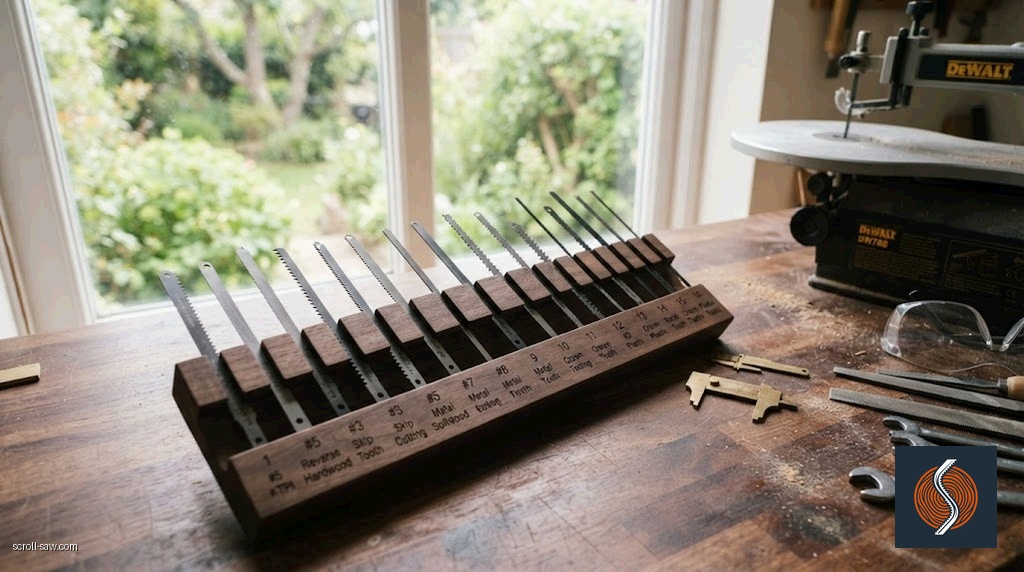
- Store blades in a labeled organizer. Mixing up TPI ratings is a common mistake that leads to bad cuts.
- Check the motor carbon brush periodically. Worn brushes cause inconsistent speed, which affects cut quality.
Conclusion
JET scroll saw blades are not mysterious, but they do demand attention to size, tooth geometry, and holder condition. Match your TPI to your material thickness, keep at least three teeth in the cut, and maintain your blade holders. The JWSS-22B and JSS-16 are capable machines, but they are only as good as the blade you load and the care you take installing it. If you are fighting drift, burning, or broken blades, check the holder jaws first, then the tension, then the blade itself. That sequence solves most problems on JET scroll saws.
FAQ
What size blades does the JET 727200K scroll saw use? The JET 727200K uses standard 5-inch pin-end blades. It also accepts plain-end blades of the same length through its blade holder system.
Does the JET 727200K scroll saw use 5-inch blades? Yes, 5-inch is the standard blade length for this model. Both pin-end and plain-end versions are available in that size.
How do I change a blade on a JET scroll saw? Unplug the saw, release blade tension, open the upper and lower blade holders, remove the old blade, insert the new blade teeth-down, close the holders, and reapply tension until the blade rings when plucked.
Where can I find a replacement blade clamp for my JET scroll saw? JET sells replacement blade clamps through their parts department. Identify your model number from the parts breakdown and order the correct part for your specific saw.
What is the lower blade holder on a JET scroll saw? The lower blade holder is the clamp at the bottom of the arm that secures the blade’s lower end. It takes more cutting stress than the upper holder and is a common wear point.
Can I use plain-end blades on a JET JSS-16? Yes, the JSS-16 accepts plain-end blades through its blade holder. Some owners find that aftermarket holders work better than the stock part for plain-end blades.
What speed should I run my JET scroll saw at? The JWSS-22B has a variable speed range of 400 to 1550 SPM. Use slower speeds for metal and plastic, medium speeds for hardwoods, and faster speeds for softwoods.
How do I know when my JET scroll saw blade is dull? Cuts slow down, the surface burns or scorches, the blade drifts despite correct tension, and the blade produces more dust than shavings. Replace the blade when any of these signs appear.
References
- JET product documentation and parts breakdowns (JET JWSS-22B, model 727200B)
- Occupational Safety and Health Administration (OSHA), Machine Guarding: https://www.osha.gov/machine-guarding
- Scroll Saw Woodworking and Crafts magazine, blade selection and tensioning guides


