
Best Scroll Saw Blade for Acrylic: Picks, TPI, and Setup
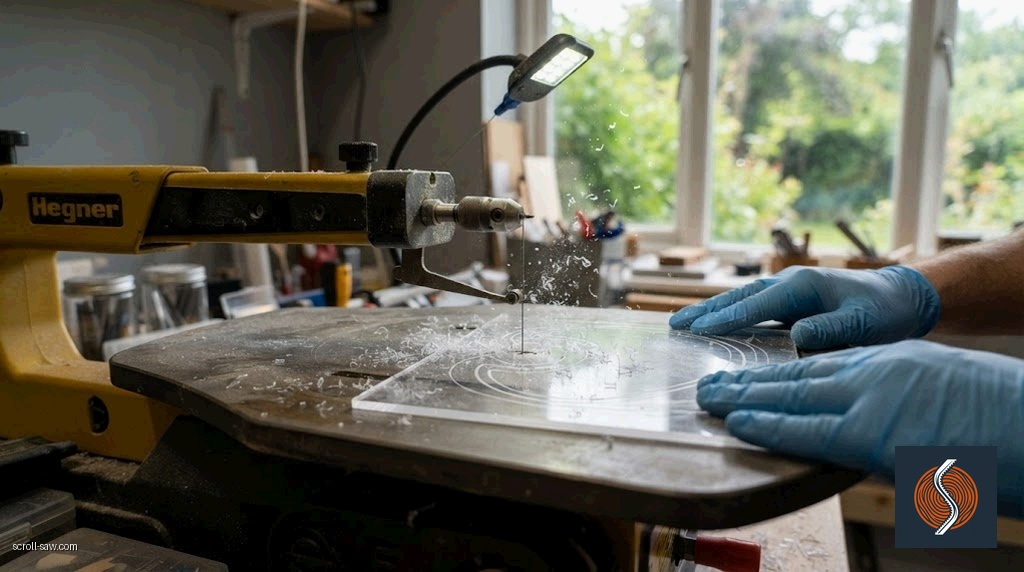
Best Scroll Saw Blade for Acrylic: Picks, TPI, and Setup
Acrylic is a great scroll saw material until you go too fast, at which point it stops being a material and turns into a hot glue that welds itself back together behind the blade. Every scroller learns this the hard way once. The right blade and the right speed together prevent it.
This is a working guide to picking the best scroll saw blade for acrylic, what TPI and kerf actually do to the cut, and how to set up the saw so the plastic cuts cleanly instead of melting.
Why acrylic melts
Acrylic (polymethyl methacrylate) has a low melting point compared to wood or aluminum. Any friction in the cut generates heat, and if that heat cannot escape fast enough, the plastic softens and re-welds behind the blade. The kerf disappears and the blade binds.
Three factors control heat:
-
Saw speed. Faster is hotter. Cut acrylic at 60 to 70 percent of the saw’s top speed on variable-speed saws.
-
Feed rate. Slower feed means each tooth removes less material per stroke, generating less heat. But too slow means the blade rubs without cutting, which is also hot. Steady, moderate feed is the goal.
-
Blade TPI and geometry. Fine TPI blades generate more heat because more teeth are in contact. Skip-tooth blades clear chips better and stay cooler. Reverse-tooth blades minimize melt on the underside.
What TPI works for acrylic
For cast acrylic sheet (Plexiglas, Optix, and similar), the practical TPI range is:
-
1/16 inch (1.5 mm): 20 to 25 TPI.
-
1/8 inch (3 mm): 15 to 20 TPI.
-
1/4 inch (6 mm): 12 to 15 TPI.
-
3/8 inch (9 mm): 10 to 12 TPI.
-
1/2 inch (12 mm): 10 TPI or coarser skip tooth.
Extruded acrylic (thinner, softer) tolerates slightly finer TPI. Cast acrylic (thicker, harder, cleaner cuts) does better with coarser TPI to shed chips.
Blade geometry: skip tooth wins for acrylic
Skip-tooth blades have oversized gullets that hold chips well. In acrylic, chip clearance is heat management. Skip-tooth beats regular tooth for acrylic almost every time.
Reverse-tooth blades (skip-tooth with the bottom few teeth reversed) reduce melt on the underside of the workpiece. If the underside will be visible, reverse tooth is the choice.
Spirals cut acrylic but generate more heat because of the 360-degree tooth face. Use spirals only for tight curves in thin acrylic (1/8 inch or less), and slow the feed.
The blades worth buying for acrylic
FOXBC Skip Tooth Plain End Assortment
The FOXBC Skip Tooth Plain End Assortment (36 pack, 12.5 and 20 TPI) is a value assortment that includes both TPI ranges useful for acrylic. 20 TPI for thin sheet (1/16 to 1/8 inch), 12.5 TPI for thicker (1/4 to 3/8 inch).
Drawback: generic brand; consistency varies by batch.
Best for: hobbyist acrylic work in mixed thicknesses. Skip if: you want name-brand blade consistency.
Olson FR49202 Reverse Tooth
The Olson FR49202 reverse tooth is a reverse-tooth blade rated for wood and plastic. Cleaner underside on acrylic than standard skip-tooth. Roughly 12.5 TPI, plain-end.
Drawback: not marketed as acrylic-specific; buy the pack that matches your acrylic thickness.
Best for: acrylic work where both surfaces will be visible. Skip if: only the top surface matters (regular skip-tooth is cheaper).
Pégas Skip Tooth Size 5
The Pégas Skip Tooth Size 5 is a Swiss-made skip-tooth blade with milled teeth. Slightly higher TPI than the FOXBC 12.5, cleaner finish, longer blade life. Excellent for acrylic 1/8 to 1/4 inch.
Drawback: pricier per blade.
Best for: production-quality acrylic work. Skip if: budget matters more than finish quality.
Pégas Reverse Skip Tooth #3r
The Pégas Reverse Skip Tooth #3r is a reverse skip-tooth blade for double-sided acrylic work. Reverse teeth at the bottom minimize melt on the exit surface.
Drawback: pricier per blade.
Best for: display pieces where both surfaces are visible. Skip if: cost matters more than finish.
Pégas Spiral Size 5 for tight curves
The Pégas Spiral Size 5 at 48 TPI cuts thin acrylic (under 1/4 inch) with tight curves. Slow feed only; heat management is the challenge.
Drawback: 48 TPI generates more heat than skip-tooth. Not for acrylic over 1/4 inch.
Best for: thin acrylic with omnidirectional curves. Skip if: your cuts are straight or gentle (skip-tooth is cooler).
Kerf, radius, and finish for acrylic
Kerf. Skip-tooth blades in the 12 to 20 TPI range have kerfs from about 0.020 to 0.028 inches. The wider kerf helps with heat by giving the blade more clearance in the cut.
Minimum radius. Skip-tooth blades in acrylic can hold about a 1/8-inch minimum radius. Tighter than that requires a spiral, and spirals in acrylic want slow feed to prevent melting.
Finish. A well-fed acrylic cut leaves a slightly frosted edge that polishes clear with a flame (very carefully) or with fine wet sandpaper progressing to a polishing compound. A too-fast cut leaves a melted edge that has to be filed and sanded aggressively.
Setup for acrylic cutting
Acrylic cuts want a specific setup:
Saw speed: 60 to 70 percent of top speed on variable-speed saws. Never full speed.
Feed rate: steady and moderate. Slower than wood, faster than metal. If the blade sings or you smell burning plastic, slow down.
Blade tension: slightly less than for wood. Overtensioned blades cut too aggressively in acrylic and generate heat.
Backer material: thin plywood or MDF under the acrylic reduces vibration and backs up the underside.
Peel the protective film only after cutting. The film cushions the top surface and reduces scratches from the throat plate.
Cooling: for cuts over 30 seconds, brush the kerf with a small amount of water or windshield washer fluid to keep the blade cool. Some scrollers cut acrylic under a light stream of water; overkill for hobby work but effective.
Common problems
Acrylic re-welds behind the blade. Saw speed too fast, or feed rate too slow (blade rubbing without cutting). Slow the saw, keep the feed moderate.
Cut edge is milky or cracked. Blade is dull, or tension is too high. Replace the blade or reduce tension.
Blade wanders. Feed pressure is uneven, or the blade is dull. Focus on straight forward feed; replace blade if worn.
Crack propagates from the cut into the acrylic. Feed rate is too aggressive, tension is too high, or the acrylic is old and brittle. Reduce feed pressure; use fresh acrylic.
Chip clearance fails on thick acrylic. Use a coarser skip-tooth blade (10 TPI or less) and slow the feed.
Verdict
For most hobby scrollers, the FOXBC Skip Tooth Assortment covers acrylic work across common thicknesses. For premium finish or display pieces, upgrade to Pégas Skip Tooth or Pégas Reverse Skip #3r. Use spirals like the Pégas Size 5 only for tight curves in thin acrylic. Run the saw at 60 to 70 percent of top speed, feed steadily and moderately, and keep the blade cool with a wet finger or light water flow on longer cuts.
FAQ
What is the best scroll saw blade for acrylic? A skip-tooth blade in the 12 to 20 TPI range, matched to acrylic thickness. FOXBC and Pégas skip-tooth blades are the practical choices.
Can I cut acrylic with a spiral scroll saw blade? Yes, for thin acrylic (under 1/4 inch) with tight curves. Slow feed and lower saw speed are essential to prevent melting.
What TPI is best for cutting acrylic? 15 to 20 TPI for 1/8 inch acrylic; 12 to 15 TPI for 1/4 inch; 10 TPI or coarser for thicker stock.
Why does my acrylic melt when I try to cut it? Saw speed is too fast, feed rate is too slow, or the blade TPI is too fine. Reduce saw speed, keep feed steady and moderate, and use a coarser skip-tooth blade.
Should I leave the protective film on while cutting? Yes. The film cushions the top surface and reduces scratches from the throat plate. Peel it off after cutting.
Do I need to lubricate the blade for acrylic? Not required, but a brush of water on longer cuts helps. Cutting oil is not needed and can leave residue on the acrylic.
How do I finish the cut edge of acrylic? Sand progressively through finer grits (220, 400, 600, 1000) and finish with a polishing compound, or flame-polish very carefully with a small torch.
References
-
Pégas Sawblades product line: pegas-swiss.com
-
Olson Saw Company blade catalog: olsonsaw.net
-
FOXBC scroll saw blade specifications: foxbc.com
Title tag: Best Scroll Saw Blade for Acrylic: Picks, TPI, and Setup Meta description: The best scroll saw blades for acrylic by thickness, plus TPI guidance, saw speed, and technique to prevent melting and re-welding. Slug: best-scroll-saw-blade-for-acrylic Excerpt: The best scroll saw blade for acrylic is a skip-tooth blade in the 12 to 20 TPI range, matched to acrylic thickness. This guide covers the picks worth buying, what TPI and kerf actually do to acrylic cuts, and the setup that prevents melting and re-welding.


