
Computer Scroll Saw: What This Search Actually Means
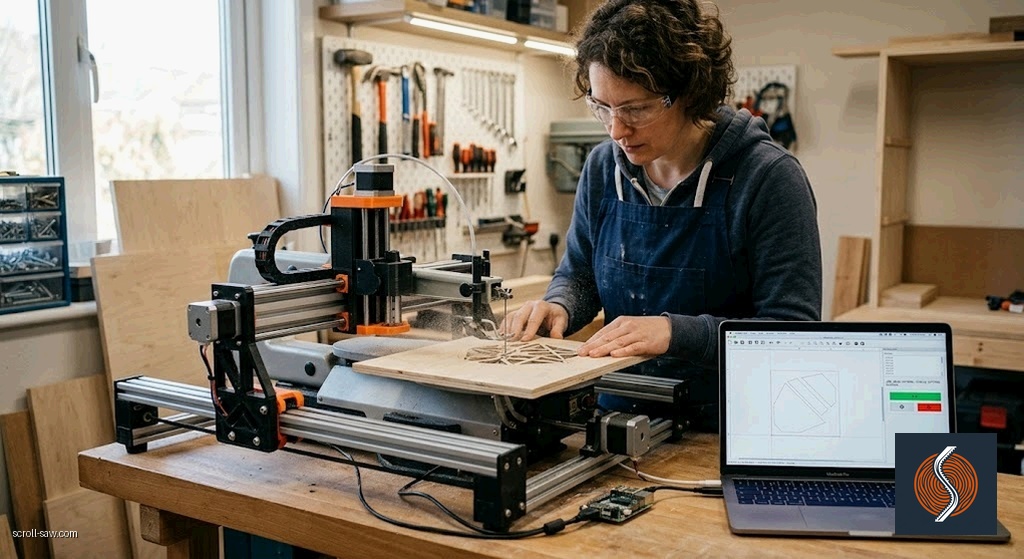
Computer Scroll Saw: What This Search Actually Means
“Computer scroll saw” is one of those searches that means different things to different people. Some are looking for computer-controlled cutting. Some are looking for a scroll saw to make computer-themed craft projects (silhouettes, keyboard-shaped items, cutouts for computer setups). Some are looking for how to design scroll saw patterns on a computer.
Here’s the honest read for each intent.
If you want computer-controlled cutting
See our related guides on CNC scroll saws and CNC routers. The short version: true CNC scroll saws are essentially not commercially available. CNC routers and laser cutters do computer-controlled pattern work. For hand-controlled scroll saw pattern work, buy a quality traditional scroll saw.
If you want to make computer-themed craft on a scroll saw
Scroll saw work is well-suited to computer-themed craft:
-
Custom keyboard-shaped shelves or display stands
-
Cutout signs for gaming setups
-
Custom cable management pieces
-
Wooden computer cases (advanced project)
-
Themed ornaments and desk decorations
-
Cutouts for streaming and content creator branding
These are pattern-work projects. A quality scroll saw with fine blades handles them well.
If you want to design patterns on a computer for scroll saw cutting
Digital pattern design is common. Free and paid tools include:
Inkscape (free). Vector graphics editor, exports to SVG which can be printed for scroll saw pattern transfer.
Adobe Illustrator (paid). Industry-standard vector editor.
CorelDraw (paid). Popular for pattern designers in the craft space.
Scroll saw pattern software (various). Some specialty tools for pattern creation.
Once designed, patterns get printed and transferred to the workpiece using carbon paper, spray adhesive, or graphite transfer methods.
Scroll saws for computer-themed craft
Entry level: WEN 3922 16-inch variable speed. Honest for hobby craft.
Mid-tier: WEN 3923 with two-direction blade capability.
Near-professional: DeWalt DW788 20-inch with DW7880 stand and DW7881 work light.
Blades for computer-themed craft
Fine detail patterns benefit from:
Flying Dutchman Ultra Reverse #3 for standard pattern work.
Flying Dutchman New Spiral #1 for very fine detail that pivots in place.
Olson FR49202 Reverse Tooth as an all-around workhorse.
Flying Dutchman variety pack covers the range for beginners.
Pattern transfer workflow
-
Design the pattern in vector software.
-
Scale to your workpiece size.
-
Print the pattern on paper.
-
Transfer to the workpiece using:
-
Spray adhesive (attach pattern directly to wood)
-
Carbon paper (transfer lines through carbon)
-
Graphite transfer (rub pencil graphite on the back of the pattern)
-
Drill starter holes for interior cuts.
-
Cut following the transferred lines.
-
Remove the pattern residue (adhesive remover, sanding, or peeling).
Project ideas for computer-themed scroll saw work
-
Custom keyboard wrist rest with cutout branding
-
Wooden game controller display stand
-
Custom cable holders shaped like tech icons
-
Streamer name signs with themed graphics
-
Wooden mouse pad edging
-
Custom monitor risers with pattern cutouts
-
Retro computer-shaped ornaments
-
Themed puzzle pieces for shared team projects
Materials
Most computer-themed craft projects use:
-
Baltic birch plywood (1/4 or 1/2 inch)
-
Hardwood boards for premium projects
-
Acrylic (plexiglass) for modern aesthetic
All work well on a scroll saw with appropriate blades.
The takeaway
“Computer scroll saw” covers three different intents. Computer-controlled cutting is essentially a CNC router question. Computer-themed craft on a scroll saw is a natural fit with pattern work and design software. Digital pattern design is a mature workflow using free or paid vector software.
FAQ
What is a computer scroll saw? Depends on context. Could mean CNC-controlled cutting, computer-themed craft, or computer-based pattern design.
Can I control a scroll saw with a computer? Not with hobby-priced products. Custom CNC conversions exist.
What software designs scroll saw patterns? Inkscape (free), Adobe Illustrator, CorelDraw, or specialty scroll saw pattern software.
How do I transfer a computer-designed pattern to wood? Print the pattern, then transfer with spray adhesive, carbon paper, or graphite methods.
Can a scroll saw make computer-themed craft? Yes. Custom keyboards, controllers, tech icons, and themed signs all work well.
What blade for detailed computer-themed cuts? Fine reverse tooth or spiral blades. Fine spirals for tight interior detail.
What’s the best scroll saw for craft work? WEN 3922 at entry-level, DeWalt DW788 for serious craft output.
References
-
Inkscape documentation for vector design
-
Steve Good scroll saw pattern archive
-
WEN and DeWalt scroll saw specifications


