
Porter-Cable PCB375SS Scroll Saw Parts: Match Model and Type
Porter-Cable PCB375SS Scroll Saw Parts: Match Model and Type
A scroll saw goes down at the worst possible moment. Usually mid-project, usually because a $6 part quietly wore out six months ago and you didn’t notice until the arm started ticking. If your machine is a Porter-Cable PCB375SS, the ordering problem is not finding a parts retailer, plenty carry the line. The problem is that “PCB375SS parts” is not a single kit. Porter-Cable revised the saw during its production run, and each revision has its own parts list.
Get the model and the type number right, and the correct component ships. Get only the model and you have a coin flip.
What the PCB375SS is
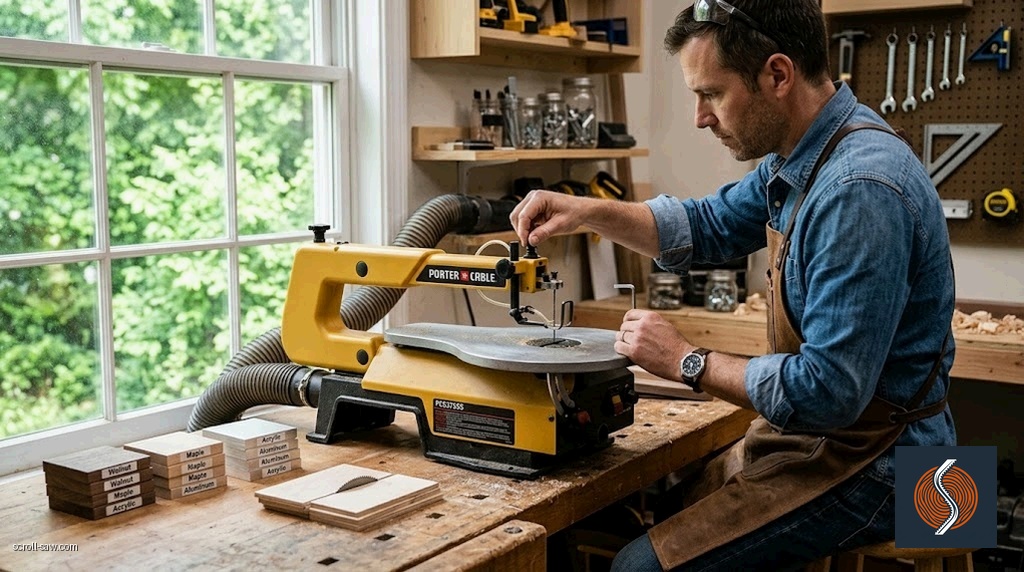
The PCB375SS is Porter-Cable’s 18-inch variable-speed scroll saw with an integrated stand option, aimed at the intermediate hobbyist and light-production shop. It runs on a 1.6-amp motor, uses pinned scroll saw blades, and includes a dust blower and work light. The specific speed range, table tilt spec, and stroke length come off the data plate, don’t trust a general number from a forum post if you’re diagnosing a mismatch.
The short answer
To order the correct PCB375SS part: find the data plate on the rear or underside of the saw, record both the model (PCB375SS) and the type (usually “Type 1,” “Type 2”), then use those two fields together to filter the exploded diagram at any major parts retailer. Cross-reference the service part number on the diagram against the retailer’s listing before you check out. Every mismatched order starts with somebody skipping this step.
Where the type number lives
The data plate is a small silver or black label riveted or glued to the base. Turn the saw on its side or peer at the rear casting. You want four fields:
-
Model number: PCB375SS
-
Type: a single digit or short code, sometimes printed as “Type 1” or “T1”
-
Serial: longer alphanumeric, useful for warranty and manufacturing date
-
Electrical ratings: volts, amps, hertz
If the label is scuffed past the point of reading, don’t scrape it. A soft damp cloth lifts most bench dust. If the type is genuinely gone, you’ll have to identify by physical features (blade holder style, dust blower routing, switch type, upper arm joint) against the exploded views for each type until you find the match.
Parts that vary by type
These are the components most often ordered incorrectly on a PCB375SS because the type wasn’t checked first:
-
Upper and lower blade holders. Porter-Cable revised the clamping mechanism during the model’s life. Two holders look almost identical in a listing photo but use different pin diameters and different set-screw threading.
-
Drive belt. Belt length and profile can change between revisions if the pulley layout was updated.
-
Motor pulley. Diameter and shaft bore vary. A pulley that fits the shaft but not the belt is worse than useless.
-
Upper arm bushings and pivot pins. Wear items. Wrong-diameter bushings will feel like they fit dry and then bind after a couple hours of running.
-
Dust blower hose and nozzle. Routing changed across types. The nozzle mount on Type 1 is not the same mount on Type 2.
-
Switch and cord. Rocker versus paddle switches showed up in different revisions.
Any of these ordered off the wrong exploded view usually looks close on unboxing. That is the trap.
Cross-referencing the exploded view
Open the parts diagram for your type on a parts retailer’s site. Zoom on the section that contains the part you need. Note the balloon number next to the part and the service part number in the accompanying list. That service part number is the one you want on the retailer’s listing. Do not order by description alone (“lower blade holder assembly”), because two different types will each have an assembly by that name and only one fits your saw.
Before you finalize the order, place the old part next to the on-screen diagram if you can. Compare pin length, thread pitch, and mounting hole spacing visually. Ninety seconds of comparison saves a return shipment.
Wear points to check while the saw is apart
If you already have the top cover off to replace one part, spend ten more minutes on the parts that fail next. On this class of scroll saw, that means:
-
Upper arm pivot bushings. If they show any oval elongation, replace both, not one.
-
The eccentric or drive link at the motor. Grab it by hand with the saw unplugged and try to wiggle it. Any perceptible play means it’s on its way out.
-
The blade holder set screws. Cheap to replace, easy to strip, and a stripped one at the wrong moment ruins a piece of walnut.
-
The dust blower hose. It hardens and cracks with age. A cracked hose blows air at the base instead of the blade.
Order the wear parts together. Shipping a single bushing costs the same as shipping four.
When the diagram doesn’t match your saw
Occasionally you’ll find that the type printed on your data plate points to a diagram that clearly doesn’t match the physical machine. This is not that rare, especially for units that came out of a Porter-Cable factory during a revision changeover, or units that a previous owner already parted from a mixed source. In that case, identify the parts you need by physical measurement (bore, length, thread), take those measurements to the retailer’s parts support, and ask them to match against inventory. Most of the specialist parts houses (eReplacementParts, ToolPartsPro) will do that lookup by phone or email.
PCB375SS vs the PCB370SS
These two Porter-Cable scroll saws often get confused because they sit in the same product family. They are not parts-interchangeable. The 370 is the earlier, slightly lighter-duty variant. The 375 typically ships with an updated stand and a revised switch layout. Parts diagrams are separate documents. If a listing says “fits PCB370SS/PCB375SS,” verify the part number against both exploded views before trusting it; some universals genuinely do fit both, and some don’t despite the listing.
FAQ
Where is the type number on a PCB375SS? On the data plate, printed on the same line as the model. The plate is on the rear or underside of the base and is usually silver or black with etched text.
Do PCB370SS parts fit a PCB375SS? Some do, most don’t. Blades and generic hardware (screws, washers) are interchangeable. Arm assemblies, blade holders, belts, and pulleys are model-specific. Verify against both exploded diagrams before assuming compatibility.
Can I buy an entire upper arm assembly? Sometimes, depending on parts availability for your type. It is often cheaper to rebuild the arm with new bushings and pivot pins than to source a full assembly.
My blade won’t hold tension after replacing the blade holder. What’s wrong? Usually a mismatched holder or a worn tensioning knob. Confirm the new holder matches your type. If it does, inspect the tensioning cam and spring at the top of the upper arm; those wear too.
Are aftermarket bushings safe to use? If the dimensions match exactly, yes. Reputable third-party bushings for common scroll saws are made from oil-impregnated bronze and last as long as OEM. Cheap unbranded bushings sometimes run soft and fail early.
What’s the lead time on PCB375SS parts? Common wear items (blade holders, belts, bushings) are usually in stock at the major retailers and ship in a couple of days. Less common parts (specific arm castings, motor assemblies) can be backordered for weeks. Check inventory before you take the saw apart if the project can’t wait.
How do I keep this from happening again? Write the model and type on masking tape and stick it to the underside of the table. When something goes down two years from now, you won’t have to hunt the plate again.
References
-
Porter-Cable service and support (portercable.com) — owner’s manuals and parts diagrams for the PCB375SS by type.
-
eReplacementParts (ereplacementparts.com) — exploded views, service part number lookup, and phone support for cross-referencing.
-
ToolPartsPro (toolpartspro.com) — alternate parts source with model-and-type filtering for Porter-Cable tools.
-
Stanley Black & Decker Consumer Support — parent-company channel for warranty and service escalation on Porter-Cable products.


