
Ryobi 16 Inch Scroll Saw Manual: Match It to Your Machine
Ryobi 16 Inch Scroll Saw Manual: Match It to Your Machine
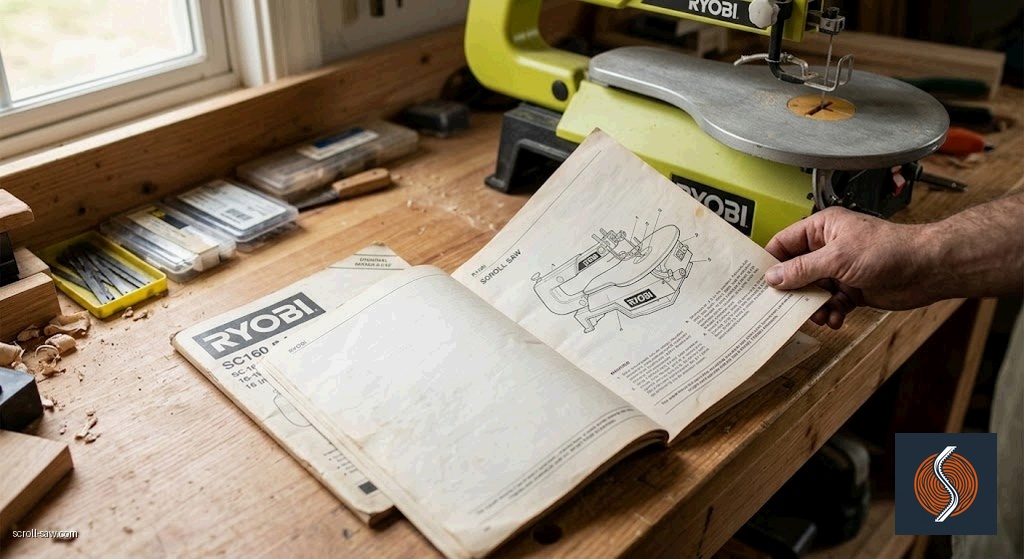
Ryobi has sold more than one 16-inch scroll saw across the last twenty years. SC155, SC160, SC162VS, SC163VS, SC165VS, and the current variable-speed builds all share the 16-inch throat class and none of them use the same parts diagram. The manual that solves your problem is the one that matches the machine, not the one that matches the throat size.
What you’re looking for
A full Ryobi manual for a 16-inch scroll saw usually covers operation, blade change and tension, table squaring, dust management, and lists a parts diagram at the back. What you want is the specific revision that matches your unit, not a generic “16-inch scroll saw” PDF that describes a similar but different machine.
The short answer
Read the data plate. Match model number, type number (if present), and serial to Ryobi’s own document library at ryobitools.com. If the exact document isn’t on Ryobi’s site, try authorized dealers and third-party parts retailers who list the same model. Verify blade holder, motor mount, and switch details against any diagram before trusting it.
Details to verify from the plate
Ryobi data plates sit on the base of the saw, often on the rear or underside. Note down:
-
Brand (should read Ryobi)
-
Full model number (SC155, SC160, SC162VS, SC163VS, SC165VS, or current designation)
-
Type number if listed (sometimes appears as “Type 1”, “Type 2”, indicating a revision)
-
Serial number
-
Voltage and amperage
-
Manufacture date if visible
Type numbers matter more than most owners realize. Ryobi has issued Type 1 and Type 2 revisions of the same nominal model, with different parts.
Where to find the correct document
Ryobi Tools direct. ryobitools.com has a service and support section with manuals searchable by model number. Start there.
Authorized Ryobi dealer PDFs. Larger dealers maintain PDF libraries for the models they’ve sold.
Third-party parts retailers. eReplacementParts and similar sites often maintain parts diagrams keyed to model and type number. These are useful for confirming a manual matches your unit.
Ryobi owner communities. Forum threads dedicated to specific SC-series scroll saws often collect and share the correct PDF for each revision.
Confirming the manual matches
Open the parts diagram. Compare what it shows against what your machine actually has:
-
Blade holder style (pinned, pinless, or both)
-
Switch type and location
-
Motor mount and housing shape
-
Dust blower routing
-
Speed control (fixed, two-speed, or variable)
Any mismatch means either wrong revision or wrong model. Try another PDF.
What the manual is genuinely useful for
-
Correct blade tension procedure for your holder style
-
Table squaring sequence with the specific adjustment hardware
-
Belt sizing if your unit has a belt
-
Bearing and bushing part numbers keyed to the diagram
-
Motor brush replacement procedure on brushed-motor variants
Generic scroll saw advice covers the fundamentals. The manual covers the specifics.
What it won’t tell you
-
Modern blade brand recommendations
-
Aftermarket upgrade compatibility
-
Current parts pricing
-
Workarounds developed by long-time owners in forums
Combine the manual with owner community discussion for a fuller picture.
Common identification confusion
SC160 vs. SC162VS vs. SC163VS: these are different models, not different names for the same machine. The VS suffix indicates variable speed on some but not all. Verify per your plate.
Ryobi 16 inch vs. Ryobi 1.2 amp 16 inch: same nominal size, may refer to different models. The amp rating narrows the identification.
FAQ
Is there a single Ryobi 16 inch scroll saw manual? No. Multiple models exist, each with its own manual, and some have Type 1 and Type 2 revisions.
Can I use one Ryobi manual for another Ryobi model? Only for concepts, not for specific parts or procedures. Never order parts against a different model’s diagram.
Where is the type number? On the data plate, usually near the model number. Not all Ryobi units list a type number.
Do older Ryobi manuals still exist? Yes, in Ryobi’s archive, in dealer PDF libraries, and in owner community collections.
What if the plate is unreadable? Cross-reference visible features (blade holder style, switch, motor) against known model photos to narrow the identification.
Is a paper manual worth keeping? For a shop reference, yes. Print or photocopy the setup and maintenance pages.
Can I download the manual for free? Ryobi’s own manuals are free at ryobitools.com. Third-party sites sometimes host them as well.
References
-
Ryobi Tools (ryobitools.com) — official manual and support library.
-
eReplacementParts (ereplacementparts.com) — model-specific parts diagrams.
-
Fine Woodworking (finewoodworking.com) — scroll saw reviews and setup guides.
-
Scroll Saw Woodworking & Crafts (scrollsawer.com) — owner community and model identification threads.


