
Ryobi SC160 Scroll Saw Manual: Type Number and Match
Ryobi SC160 Scroll Saw Manual: Type Number and Match
The SC160 sold long enough to see production revisions. Two SC160 saws sitting side by side might have different blade holders, different speed control interfaces, or different switches. Their manuals differ accordingly. Matching by type number saves you from ordering parts against the wrong diagram.
What the SC160 manual covers
-
Assembly and mounting
-
Blade installation and tension
-
Table squaring and tilt
-
Speed control operation (VS builds)
-
Dust management
-
Maintenance schedule
-
Troubleshooting table
-
Parts list and exploded diagram
Each section has revision-specific details. Type matching aligns those specifics.
The short answer
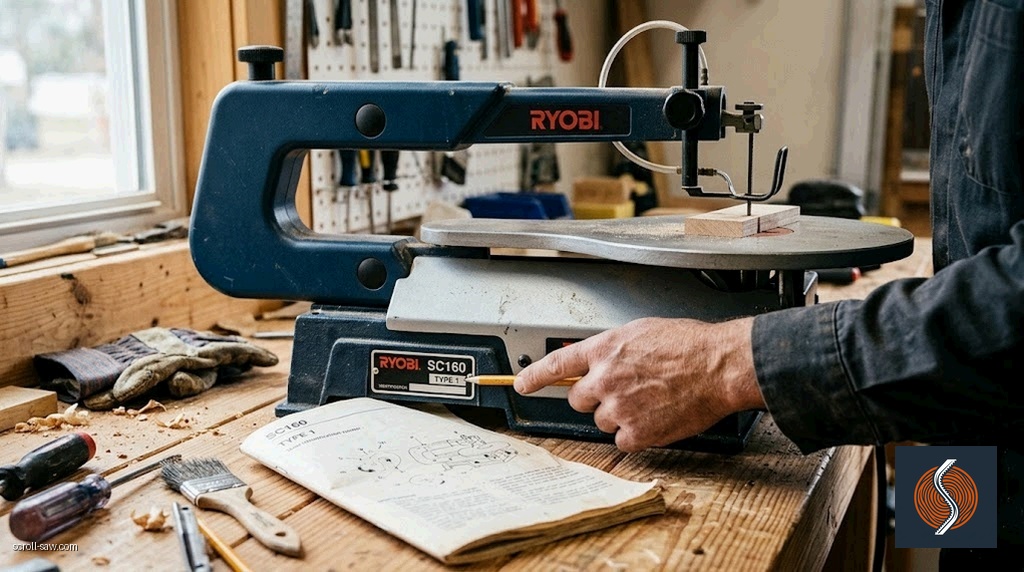
Read the data plate. Note model (SC160), type number, serial, and electrical ratings. Match against Ryobi’s document library at ryobitools.com. If your type isn’t currently listed, try third-party parts retailers and dealer archives. Verify by comparing the exploded diagram to visible details on your machine.
Where the type number lives
On Ryobi scroll saws, the type designation sits on the data plate near the model number, often as “Type 1” or “Type 2.” Not every SC160 unit lists a type; some early or late-production units omit one. Serial number range narrows identification when the type is missing.
Distinguishing revisions by visible features
Without a legible type number, revisions of the SC160 can be identified by:
-
Blade holder style (thumb-screw versus hex set screw)
-
Speed control (fixed, two-speed dial, or continuous VS knob)
-
Switch style and location
-
Motor housing shape
-
Dust blower nozzle style
Compare against photos in dealer listings, forum posts, and Ryobi’s archived product pages.
Where to find the manual
-
Ryobi Tools (ryobitools.com) service and support library
-
Authorized Ryobi dealer PDF archives
-
Third-party parts retailers (eReplacementParts, ToolPartsPro)
-
Scroll saw and general woodworking forums
-
Occasional eBay original paper copies
How to verify the manual matches
Open the exploded diagram at the back. Compare against your machine:
-
Blade holder design
-
Switch style
-
Speed control interface
-
Motor mounting and housing
Any mismatch means either a different type or a different model. Try another revision.
What the manual is genuinely useful for
-
Correct blade tension procedure for your holder style
-
Table squaring sequence with your specific adjustment hardware
-
Belt size on belt-driven revisions
-
Bearing and bushing part numbers keyed to the diagram
-
Motor brush replacement on brushed-motor variants
What it won’t cover
-
Current parts availability
-
Aftermarket upgrade compatibility
-
Modern blade recommendations beyond generic sizing
-
Long-term maintenance tips developed by owner communities
Common confusion around SC160 documentation
SC160 vs. SC 160. Same model, different spacing.
SC160 vs. SC160 VS. VS suffix indicates variable speed; different manual sections apply.
SC160 vs. SC162VS, SC163VS, SC165VS. Different models. Manuals do not cross.
FAQ
Where do I find the SC160 manual? Ryobi Tools (ryobitools.com) first. Dealer archives and third-party sites cover older revisions.
Is there a Type 1 and Type 2 SC160? Ryobi issued type revisions on several models. Verify against your plate.
What if my plate has no type number? Identify by visible features against known revision photos.
Can I use an SC162VS manual for an SC160? Only for general concepts. Never order parts against a different model’s diagram.
Where is the serial number? On the data plate, alongside the model and type.
Are original paper manuals worth buying? For a permanent shop reference, sometimes yes. PDF versions cover the same content.
How do I know the PDF is legitimate? Ryobi’s own site, authorized dealers, and reputable parts retailers are trustworthy.
References
-
Ryobi Tools (ryobitools.com) — official manual library and service.
-
eReplacementParts (ereplacementparts.com) — SC160 parts diagrams and cross-reference.
-
Fine Woodworking (finewoodworking.com) — scroll saw setup and maintenance guides.
-
Scroll Saw Woodworking & Crafts (scrollsawer.com) — owner community and revision-identification threads.


